Showing posts with label SharePoint 2013. Show all posts
Wednesday, April 12, 2017
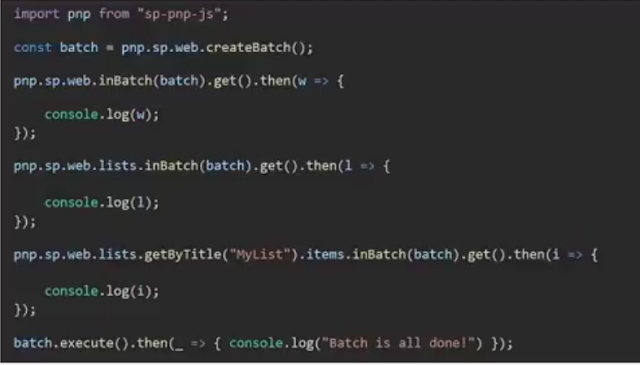
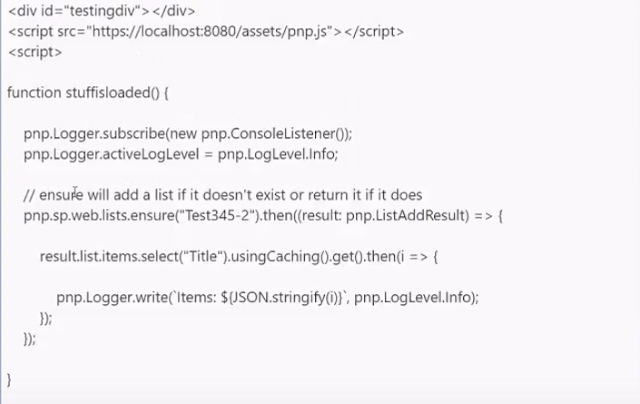
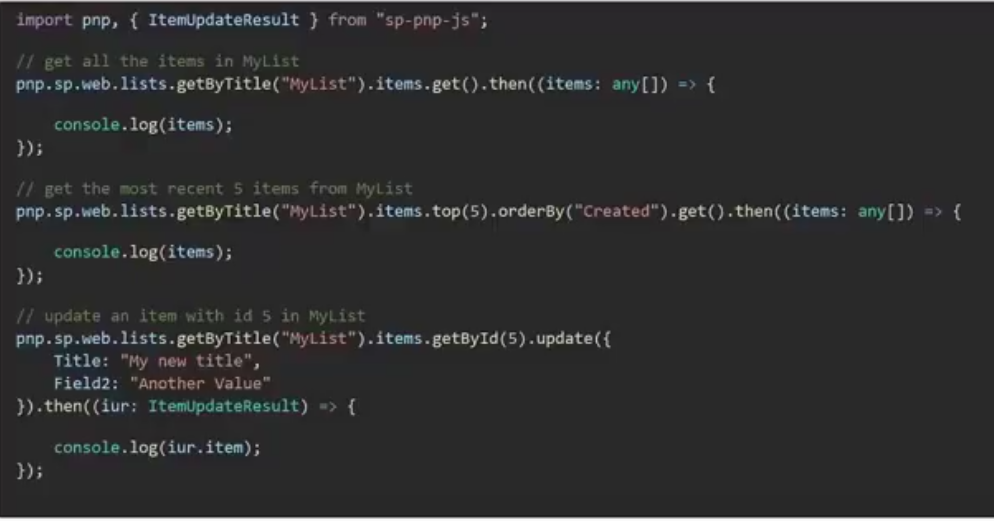
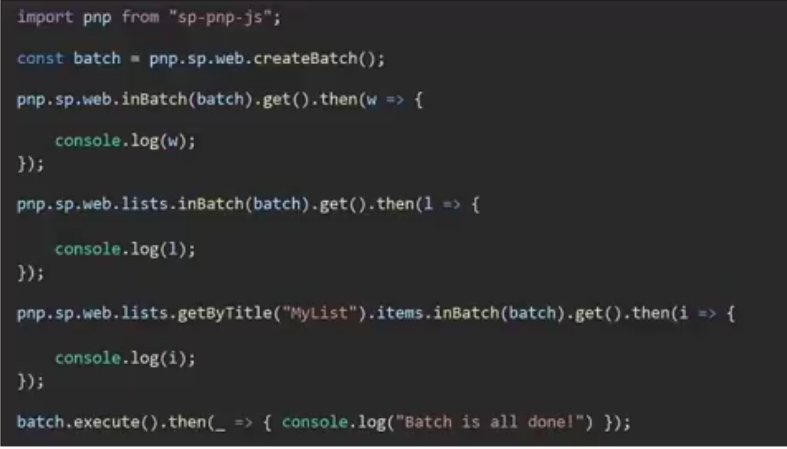
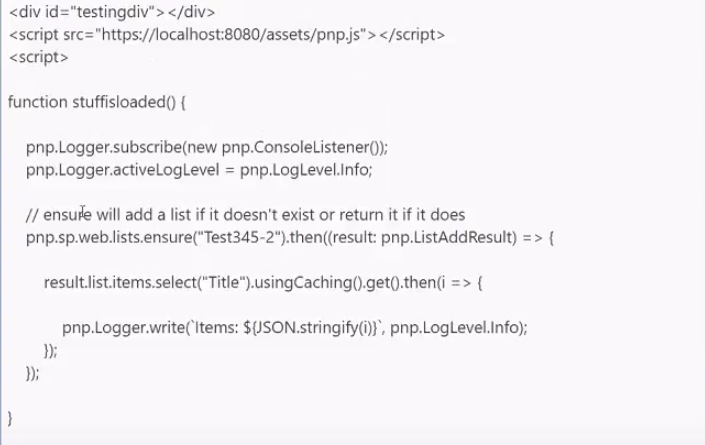
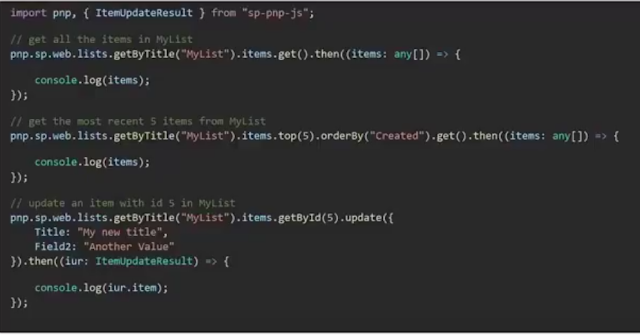
Basic Use Cases of for sp-pnp-js Library
Labels:
console listner,
console log,
js,
JSOM,
loggins,
Office 365,
pnp,
SharePoint,
SharePoint 2013,
sp-pnp-js
Location:
Orpington, UK
Wednesday, August 26, 2015
Office 365 (SharePoint 2013 Online) - Missing results in Search Results webpart
Scenario: While building a search based application in Office 365 (SharePoint 2013 Online) , I observed a behavior which I thought was quirky. A page on a publishing site had a Search Results web part and a Content by Search web part. While configuring them, I set them to have the same query and result source.
Expected result would’ve been the exact same result set and count. But for some reason, the Content By Search web part was returning all the pages as expected but the search results web part was only returning a subset of it. What was even quirkier was that the search preview on the search results web part would display all the results.
I initially thought that some pages might not have been published and hence search results web part would not display them, but that was not the case. I started to debug what was being returned to the browser. I looked at the objects that the search results returned and did not find anything there. Starting to analyze the data, I realized all the pages that were not showing up had some content that was similar, even though they were unique pages the content had a similar tone to it. I think in the earlier versions of the Search Result Web Parts, the user had an option to “Trim Duplicates” which is no longer present in the SharePoint 2013 Search Result Web Part’s properties.
Digging a bit deeper, I found a way to set the Trim Duplicates to false.
1. Export the Search Results Web Part from your page.
2. Open the .webpart file in your favorite editor.
3. Search for “Trim Duplicates”
4. Set the Trim Duplicates property to False.
5. Upload the web part.
6. Add the web part to your page.
Thursday, April 23, 2015
SharePoint 2013 (Office 365) REST API - Supported and NOT Supported Columns
Not all types of column are available via REST, most annoyingly managed metadata columns are amongst this group of unsupported column types. Further, not all types of column will return data for an entry just by including them in the $select parameter, an example of which is Lookup (single or multi-value) columns.
| Column | Support | Notes |
|---|---|---|
| Hyperlink or Picture | Supported | |
| Single Line of Text | Supported | |
| Multiple lines of text :: Plaintext | Supported | |
| Multiple lines of text :: Richtext | Supported | Returns unencoded XHTML |
| Multiple lines of text :: Enhanced Richtext | Supported | Returns unencoded XHTML |
| Choice | Supported | Column is required in the $expand keyword |
| Counter | Supported | |
| Integer | Supported | |
| Number | Supported | |
| Currency | Supported | |
| Date | Supported | Returns an ISO 8601 date e.g. 2013-03-08T11:00:00 |
| Yes/No | Supported | Returns true or false string literals |
| Person or Group | Supported | Column is required in the $expand keyword, append “Id” to the column name to get the user id (UserInformationList) value inline with each entry |
| Person or Group (Multi) | Supported | Column is required in the $expand keyword |
| Calculated | Supported | |
| Computed | Supported | |
| Managed Metadata | Not Supported | |
| Managed Metadata (Multi) | Not Supported | |
| Publishing HTML | Not Supported | |
| Publishing Hyperlink | Not Supported | |
| Publishing Image | Not Supported | |
| Media Field | Not Supported | |
| Summary Links | Not Supported | |
| Publishing Image | Not Supported | |
| Lookup | Supported | Column is required in the $expand keyword, append “Id” to the column name to get the lookup column target id value inline with each entry |
| Lookup (Multi) | Supported | Column is required in the $expand keyword |
Thursday, April 16, 2015
Change SharePoint 2013 Online (Office 365) to use your local time zone
If you upload your documents only to find that your Modified time stamp is hours off, your SharePoint Online site may be using the wrong Regional Setting for your Time Zone. This is generally set to Pacific Time (US and Canada) by default. Here are the steps to correct it:
1. In your team site, click Site Actions.
2. Click Site Settings.
3. On the Site Settings page, under the Site Administration section, click Regional settings.
4. In the Time Zone section set the Time zone drop-down list to the appropriate zone for you.
5. Click OK.
Labels:
Local Time,
Office 365,
Regional Time,
SharePoint 2013,
Time,
Time Settings,
Time Zone
Thursday, April 9, 2015
SharePoint Page Layout Error: Only Content controls are allowed directly in a content page that contains Content controls
The cause is improper case for the control tags in my page layout. A few contorls used a lower case "c" instead of an uppercase "C" in the word content. The page layout that had trouble had tags that looked like: instead of . The specific offending tag is the one associated with the page title ( <asp:Content ContentPlaceholderID="PlaceHolderPageTitle"runat="server">). The solution was as simple as correcting the case of the tag name and all worked well.
Friday, March 27, 2015
Cascading of Taxonomy Fields in SharePoint 2013 (Office 365)
Here are the useful links which help us in solving some taxonomy requirements.
First approach is like building a custom form either in list/library. Second approach is mostly tweaking the existing list/library to meet the requirement.
1) Cascaded Taxonomy Picker
http://dev.office.com/patterns-and-practices-detail/1893
2) Bind dynamically based on TermSet
http://www.sharepointnutsandbolts.com/2014/09/provisioning-managed-metadata-taxonomy-fields-three-cloud-friendly-ways.html
First approach is like building a custom form either in list/library. Second approach is mostly tweaking the existing list/library to meet the requirement.
1) Cascaded Taxonomy Picker
http://dev.office.com/patterns-and-practices-detail/1893
2) Bind dynamically based on TermSet
http://www.sharepointnutsandbolts.com/2014/09/provisioning-managed-metadata-taxonomy-fields-three-cloud-friendly-ways.html
Labels:
Cascade Taxonomy,
Managed Metadata,
MMS,
Office 365,
SharePoint 2013,
Taxonomy,
Term Store,
TermSet
Wednesday, March 25, 2015
SharePoint 2013 Online (Office 365) - Powershell Scripts
Recently I came across an nice and useful stuff of powershell scripts which can be used to automate the creation of fields,content types,lists,libraries and few other things will little effort.
An Powershell MVP came up with an wonderful stuff. You can go through below link and start exploring the different powershell scripts which would make your development easy while creating solutions on SharePoint 2013 Online/On-Premise.
http://www.falchionconsulting.com/PowerShellViewer/Default.aspx
An Powershell MVP came up with an wonderful stuff. You can go through below link and start exploring the different powershell scripts which would make your development easy while creating solutions on SharePoint 2013 Online/On-Premise.
http://www.falchionconsulting.com/PowerShellViewer/Default.aspx
Labels:
Office 365,
Powershell,
Powershell scripts,
scripts,
SharePoint 2013
Callouts in SharePoint 2013 Online (Office 365)
Microsoft has added new a Framework for Creating Callouts (Notification or Hover Over Popups) in SharePoint 2013 Version.
Callout.Js is a JavaScript file that contains methods for CalloutManager class.
CalloutManager - This is a new class to help Create CallOuts\Hover Popups in SharePoint 2013. CalloutManager allows to get or create an instance of the callout and manage its state. Similar to “Options” in Modal Dialog Framework users can set parameters using CalloutOptions for creating a new CalloutManager type Popup.
I found nice and detailed example in www.learningsharepoint.com
Here is the link : http://www.learningsharepoint.com/2012/12/30/the-new-hover-overpreviewcallout-popups-in-sharepoint-2013/
Labels:
Callout,
Dialog Box,
Notifications,
Office 365,
Popup,
SharePoint 2013
Subscribe to:
Posts (Atom)